BareGram
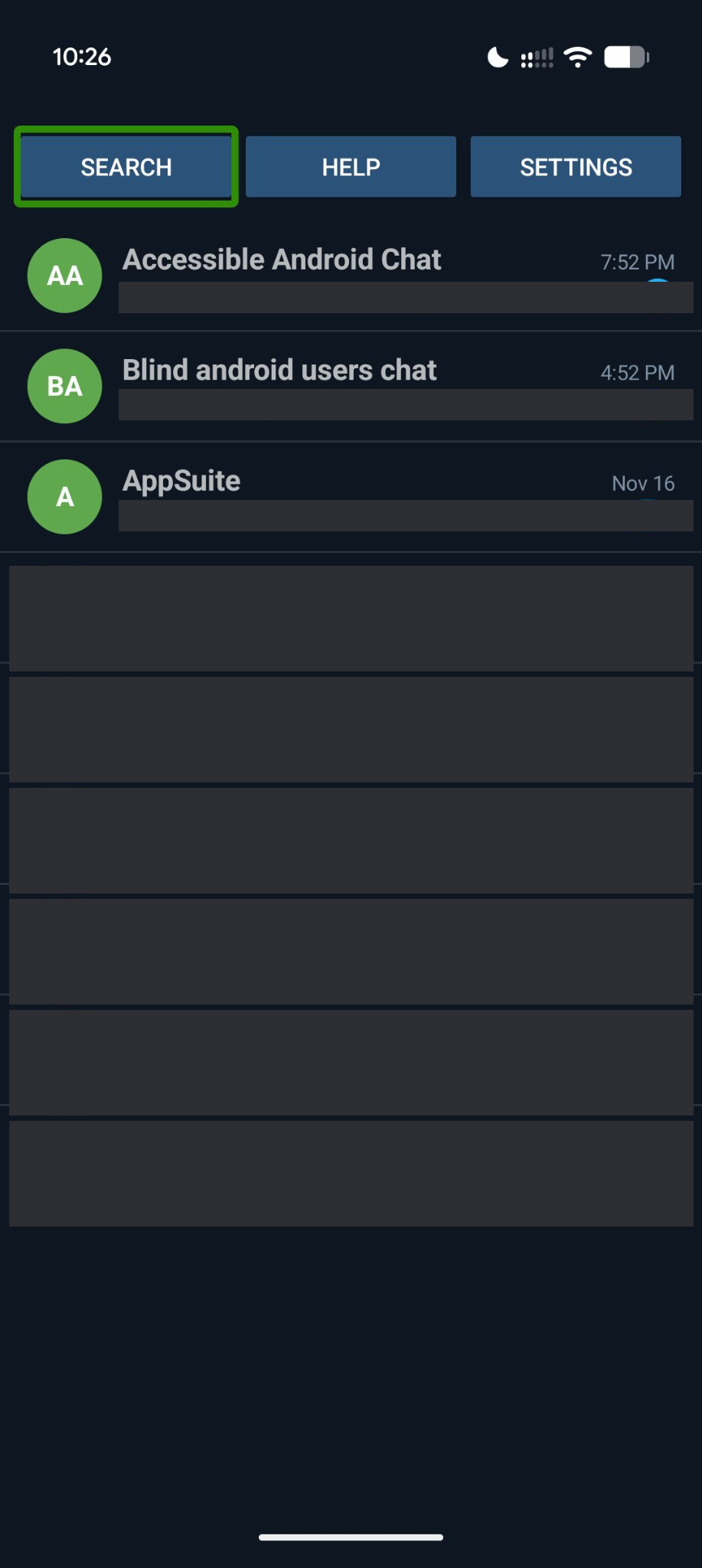
BareGram — Telegram, minus the clutter. A plain chat list, every action right on the row, and a screen that says what things are instead of making you hunt for them.
Download BareGram v0.2.6 (.apk)
Version 0.2.6 · 23.5 MB
APK for Android. Installs directly — your phone will ask you to allow installs from your browser. Updates arrive inside the app. Needs Android 8.0 or newer on a 64-bit (arm64) device.
Why it exists — what it solves
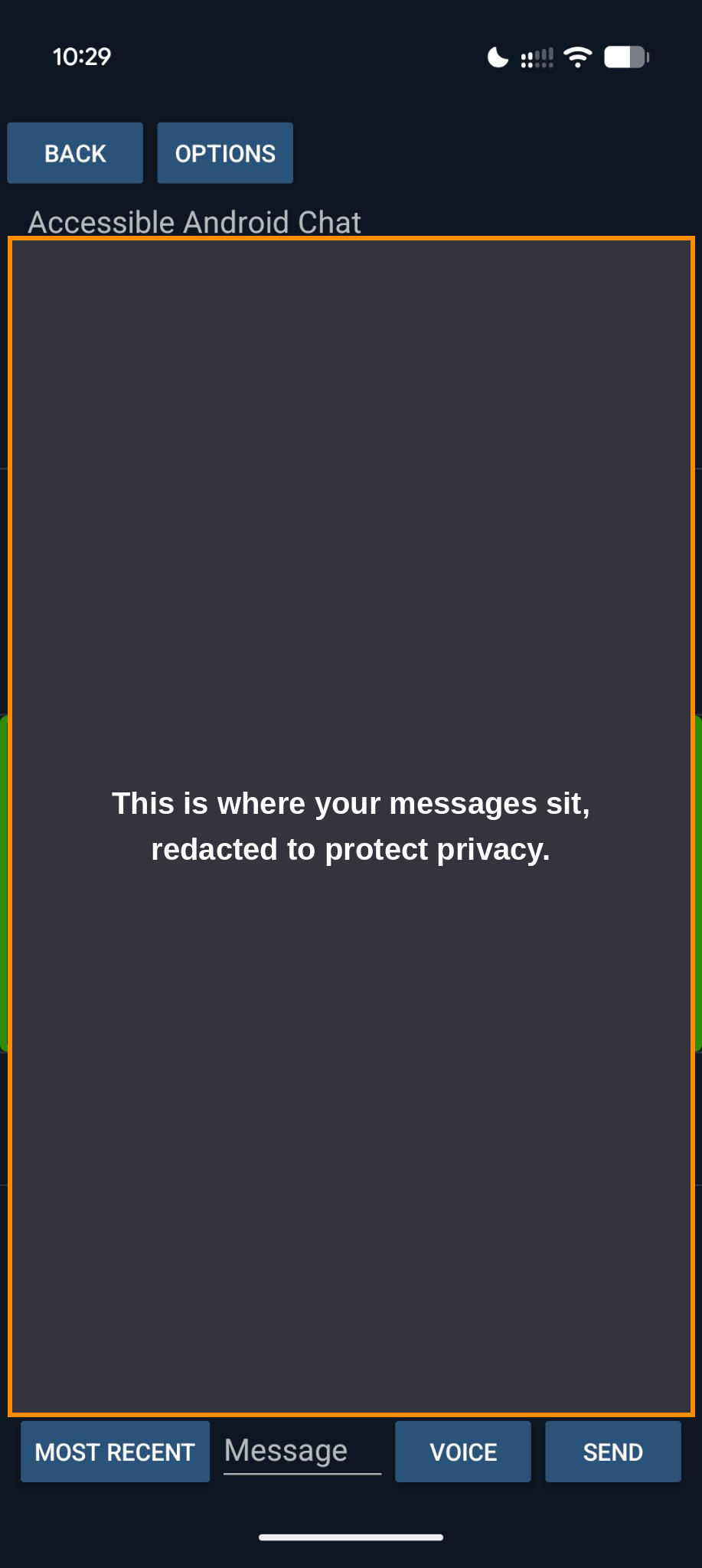
The official Telegram app does everything — and shows it all at once. BareGram keeps the whole service and drops the pile-up: one screen is your chats, one screen is a conversation, and everything you can do to a chat or a message is written on the row itself, where you can find it.
Topics get their own screen
The official Telegram app parks a forum's topics on the same screen as your chat list — everything in one pile, hard to focus, hard to move through. BareGram gives topics their own screen. Open the chat, you get its topics. Open a topic, you get its messages. Nothing else is fighting for the space.
Why the name?
Why BareGram? Bare bones, bare essentials. It's Telegram with everything you need and nothing competing for your attention — the name is the design. If a feature doesn't help you read, write, or manage your chats, it didn't make the cut.
- Every action lives on its row: Reply, Edit, Delete, Forward, React, Copy, Block, Report — a message row and a chat row each carry their own actions. No add-on scripts, no hidden gestures to memorize: what a row can do, the row says.
- Conversations open at your first unread message — not at the bottom, making you scroll back up through a busy night to find where you left off. A Most recent button in the conversation jumps you to the latest when the unread pile is bigger than you feel like reading.
- Blocking can take the chat with it: Telegram being what it is, if you're blocking someone, you almost never want their chat still hanging around. A Settings option — on by default — deletes the chat when you block.
- Delete means delete: deletes and blocks also sweep the Replies inbox — that separate chat where replies land — for anything from the same sender, so no trace of junk you removed hangs around in a corner you forgot to check.
- Stranger media protection: Telegram has a spam problem, and media from strangers is how a lot of it travels. A Safety setting — on by default — means media from someone who isn't in your contacts is never loaded uninvited: its row says it isn't downloaded, and before you open a stranger's chat that holds media you haven't viewed, BareGram warns you and offers Block and delete or View anyway. Stated plainly: BareGram cannot scan or detect content, and this feature doesn't claim to — it keeps stranger media from arriving uninvited, and Block and report is what reaches Telegram's own moderation.
- Telegram links open in BareGram: a t.me link — a group invite, a chat, a link to one message — resolves inside the app instead of throwing you into a web page. Joining always asks first and names the group; a message link lands on the message itself. Links that aren't Telegram's still go to your usual browser.
- Voice messages by tap and tone: tap the Voice button to record, tap again to stop and send, Back to cancel. Tones mark the start, the send, and the cancel, because spoken announcements would end up in the recording.
- Settings where Android users look for them: your profile, your signed-in sessions, the blocking option, and Check for updates — which lives in Settings, the Android way.
Built for ears first — and finished for eyes
BareGram was designed screen-reader-first: plain lists, real buttons, actions attached to the rows themselves, and a state the app will always say out loud instead of failing quietly. Then it got a full visual finish on top of that — it follows your system's dark or light theme, chat rows carry an initial avatar, an unread-count badge, and a bold name over a quiet preview, and messages sit in bubbles that keep incoming and outgoing apart. The rule across Powerhouse Apps stands: every audience gets the best experience it can have, and the polish for sighted users is always added on top of the blind experience — never at its expense.
New in 0.2.6: the background crash hunt
BareGram 0.2.6, published November 19, 2026, is about the times 0.2.5 was reported stopped while it sat in the background — its own diagnostics log ended mid-session with no error recorded anywhere. Every delivery the app makes to its screens is now guarded: if one of those callbacks ever throws, the error is written to the diagnostics log instead of taking the app down. A crash recorder now sits over the whole process too, so any uncaught error writes its cause into the log before the app dies. The honest limit, stated in the app as well: the cause is not proven. If the crashes were the unguarded callbacks, they are fixed; if one ever happens again, the log will name the cause; and if the app still dies with nothing recorded at all, the remaining suspect is the native Telegram library underneath. Nothing else changed — messaging, sync, notifications, voice, and sign-in work exactly as in 0.2.5. The full "What's new" and Known issues live inside the app, under Help.
New in 0.2.5: read state syncs across devices
BareGram 0.2.5, published November 17, 2026, fixes the last split in the reading story: reading inside a forum topic used to mark the messages read only on the device doing the reading, so a second device still showed the topic unread. The mark now goes out the way the official clients send it, and reading on one device reads on every device. A sent message — text or voice — also lands at the end of the list the moment it appears, instead of waiting for a trip out and back in, and the Most recent button now sits at the bottom of the conversation screen, immediately left of the message box. The cross-device sync was confirmed on real devices across its test build and called working perfectly. The full "What's new" and Known issues live inside the app, under Help.
New in 0.2.4: reading long chats works end to end
BareGram 0.2.4, published November 15, 2026, finishes the reading story 0.2.3 started. A chat opened partway back used to strand you: the opening batch was all you got, and arrowing down hit its end and cycled back to the top. Now the next stretch loads as you reach it, all the way to the newest message. The end of the list behaves, too — Down on the newest message holds you there instead of dropping you into the message box or wrapping you to the top, and Up from the message box lands you on the newest message. Check for updates reads the whole release list now (it used to stop at the first hundred releases, which hid test builds entirely), the Dev builds switch lives in Settings under Updates where it belongs, and the Updates page names the version you are on. Every fix in this release was confirmed on a real device across its test builds. The full "What's new" and Known issues live inside the app, under Help.
New in 0.2.3: your place in a chat is remembered
BareGram 0.2.3, published November 15, 2026, fixes a lost place. Reading through a chat did not stick: nothing inside a conversation marked messages read as they were read, so you could read a long stretch, leave, and come back to the app insisting it was all still unread — and dropping you back at the old first unread message. Now each message your screen reader lands on counts as read: the app remembers the furthest point reached on the phone at once, and passes the mark to the server as you go and again when you leave the chat. Reopen a chat and you land where you actually stopped. One honest limit: marking follows the reader's focus — messages merely on screen are not counted as read, because at open the unread messages below your place are on screen too, and seeing is not reading. At release time this fix is code-complete and covered by the test suite, and its own device pass is still the confirmation. The full "What's new" and Known issues live inside the app, under Help.
New in 0.2.1: the keyboard works the way it should
BareGram 0.2.1, published November 14, 2026, is a fix release, and every fix in it is confirmed on a real device. Enter opens chats again — in 0.2, list rows had stopped presenting themselves as clickable to a screen reader, so a keyboard's Enter had nothing to press; the rows now carry the standard click, in the chat list, search results, topics, and messages. A fully-read chat opens on its full history instead of a single message. Every row is one screen reader stop — arrows land on the row, never on pieces inside it — and chat rows no longer speak the avatar initials before the chat's name: the initials are drawn graphics now, not text. Voice messages play on activation, a keyboard long-press opens a row's actions, and Settings is a hub — Account settings, App behavior, Updates. Two quieter fixes came out of a full code audit: Settings no longer discards unsaved profile edits, and a failed send no longer loses the text you typed. The full "What's new" and Known issues live inside the app, under Help.
New in 0.2: stranger safety and real links
BareGram 0.2, published November 14, 2026, adds Stranger media protection (Settings, Safety — on by default): media from people who aren't in your contacts is never loaded uninvited, and opening a stranger's chat that contains media you haven't viewed brings a warning first, with Block and delete or View anyway as the two doors. It also makes Telegram links open in BareGram — group invites ask first and name the group, public chats open directly, message links land on the message — while every other link still goes to your default browser. The full "What's new" and the Safety page live inside the app, under Help.
Before that, 0.1 (also November 14, 2026) was the first stable release: conversations open at your first unread message with a Most recent button for the other direction, blocking can take the chat with it, deletes and blocks sweep the Replies inbox, Check for updates lives in Settings, every action sits on its row, and the app wears its visual finish.
The known issues, honestly, the way they'll be stated with every release:
- Device confirmation — one phone (Motorola, Android 16, SandFly with a folio keyboard) is where device confirmation comes from. The 0.2.1 fixes, the 0.2.3 read-place fix, the whole 0.2.4 reading line, and 0.2.5's cross-device read sync are confirmed there. The 0.2.2 top-buttons fix was diagnosed from the affected phone's own screen-reader tree but still awaits its own device pass on the Pixel, and the 0.2 stranger-media protection and Telegram link handling still await a dedicated device pass of their own.
- Search result rows and topic rows carry no actions — the chat list and message rows carry theirs; those two lists don't have a set yet.
- Some Telegram link kinds can't open in BareGram yet — sticker-pack and proxy links, for example; those offer your browser instead. And while the official Telegram app is installed, it may claim t.me links first, because it owns the domain association.
- QR sign-in shows the link as text only — scanning the code with the camera proved unreliable, so the sign-in screen shows the link itself.
- Reporting a chat has no free-text field — Telegram's report flow is driven by the server's list of reasons, and BareGram follows it; a reason that needs written text gets a spoken explanation instead of a text box.
- Voice notes are AAC in an M4A file — the same format the official Android client records, chosen so they play everywhere Telegram does.
- The Replies sweep reads the newest 500 entries of that inbox, and a sender who hides their name leaves no name to match — an entry like that can survive a sweep.
Verify your download
After downloading, check the file's checksum against the one published here. If they match, your file is exactly the file that was released — unaltered in transit.
BareGram v0.2.6 — MD5
2ea2f2b0a64afa934465031e487b672c
Signing certificate (SHA-1): 36:36:21:48:15:4E:C1:FF:C0:0A:28:B9:78:CB:C9:B9:4C:DA:DC:F7 — the same Powerhouse Apps release key signs every release.
Virus-free: the published checksum above must match your download — that's your guarantee the file hasn't been tampered with. Scan reports are published alongside each release — here is the Scan report for this release (0 of 67 engines flagged it).
Permissions, explained
| Permission | Why this app needs it |
|---|---|
| Internet | The app is a Telegram client — it talks to Telegram's servers with your account, and checks for its own updates. There is no Powerhouse server in between: your chats are your Telegram chats, carried the same way the official clients carry them. |
| Post notifications | So a new message can tell you it arrived. The app asks once, after sign-in. |
| Record audio | Voice messages — requested the first time you tap the Voice button, and used for nothing else. |
| Foreground service | Keeps the connection to Telegram alive while you're signed in, so messages arrive when they should instead of when you next open the app. |
| Request install packages | So BareGram can install its own updates. |
Documentation
The full help lives inside the app — the Help button is right on the main screen: sign-in, chats and topics, message actions, voice messages, blocking, Settings, What's new, and the known issues. The essentials:
- Sign in with your phone number and the code Telegram sends — and if another device is already signed in, the Settings screen lists your sessions and can end them, the same trick that rescues a locked-out sign-in in the official app.
- Every row carries its actions. With a screen reader, a focused row offers its actions the standard way; the last one, All actions, opens the full panel. By touch, a tap opens a message's actions inside a conversation, and a chat opens with a tap — select mode and the rest are on the rows too.
- Enter sends. The arrow keys step out of the message box at its edges instead of trapping you in it, so the keyboard walks the whole conversation.
- A forum chat opens its topics screen — pick the topic, and you're in its conversation. Topics never share a screen with your chat list.
- Media hands off cleanly: opening a photo, file, or other attachment passes it to the app that handles it — File Explorer is the family's file hand — and stickers arrive as labeled rows, not mystery pictures.
- Check for updates is in Settings, beside your profile and sessions.
Credits & licenses
BareGram was developed by Justin Harris — designed, directed, and tested by him, and built with AI assistance, like every app here.
It is built on TDLib, Telegram's official client library — the same engine the official clients are built around — distributed under the Boost Software License 1.0. Telegram and the Telegram logo are trademarks of Telegram FZ-LLC; BareGram is an independent client, not affiliated with or endorsed by Telegram. Package: net.powerhouseapps.baregram.